


Live Wallpapers, 4K Wallpapers
4.42.42K Reviews
App Specs
- Version
- 6.1
- Updated On
- License
- Free
- Downloads
- 10,000,000+
- Developer
- HD Pro Walls
- Categories
- Personalization
- Platform
- Android, iOS
Screenshots
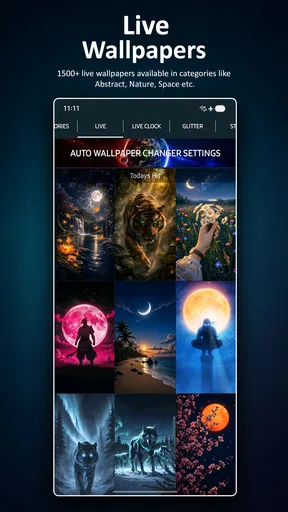
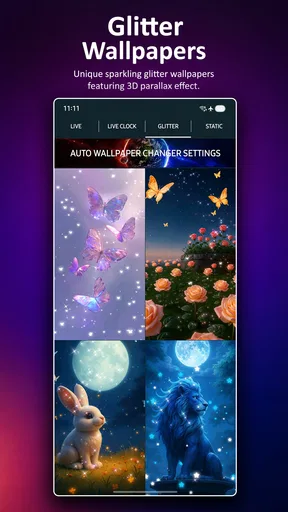
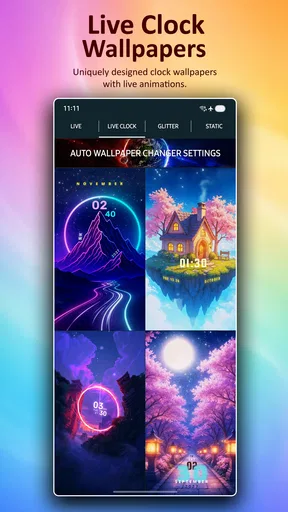
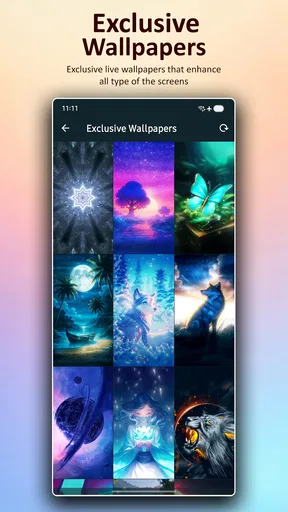


 Analysis by AppCompare
I like a wallpaper app best when it makes changing a phone’s look feel enjoyable rather than like another chore. Live Wallpapers, 4K Wallpapers is built around that simple appeal: browse striking images, try motion on the screen, and choose a background that suits your mood. It is a free personalization app from HD Pro Walls, and its mix of animated and still artwork gives it more range than a collection limited to one format. The central trade-off is familiar: eye-catching motion can make a screen feel more personal, but it is not automatically worth using all the time.
What the visual variety is good for
The app’s appeal is not just that some backgrounds move. It also gives you a reason to rethink how a wallpaper works with the rest of your phone. A quiet image can make icons easier to scan, while a vivid animated scene can turn an otherwise plain lock screen into a small moment of delight. I would treat browsing as part of the experience, not just a quick search for one picture: compare a few options against your icons and widgets before settling on one.
That little check can make a real difference. A detailed image may look impressive on its own but compete with app labels or notification text once it is set. If you rely on a crowded home screen, I’d choose a calmer composition and save busier art for a screen with fewer shortcuts. The most useful wallpaper is not necessarily the most elaborate one; it is the one that still looks good when you use your phone normally.
A more considered way to use motion
Live backgrounds are most effective when the movement adds atmosphere without demanding attention. A flowing scene can be a pleasant change when you glance at your phone, but an energetic animation may become distracting if you unlock the device constantly. I’d start with a restrained option and live with it through an ordinary day before deciding whether you want something more animated. That is a better test than choosing only from a preview.
There is also a practical reason to keep a static alternative in mind. If you are heading out for a long day, travelling, or simply trying to make your phone feel less busy, a still 4K image offers the visual polish without ongoing motion. Switching between a dynamic choice for personal time and a quieter one for work or study is a useful way to get more from the app without treating one wallpaper as a permanent decision.
Who will enjoy it—and who may not
I can see this working especially well for people who enjoy refreshing their phone’s appearance, like browsing visual collections, or want to try motion without building a complicated theme. It is also a reasonable choice if you have not settled on whether you prefer a live or static background: having both kinds in one personalization app makes it easier to compare the feel of each approach.
On the other hand, if you are happiest with one plain background and rarely change it, a basic image picker or a photo already on your phone may be enough. Someone who needs precise control over every visual detail should also check whether the available choices match that expectation before making the app part of a daily routine. The range is the attraction, but a large-looking collection does not guarantee that every style will suit every person.
Worth Reading Before You Choose

EA SPORTS FC Mobile 26 Is a Bigger Football Game, but It Takes Time

Flipboard Shows What News Apps Must Do Beyond the Feed

Switching to Android Auto Means Rethinking Your Driving Routine

Google Calendar Makes a Crowded Week Easier to Manage

Ludo King Makes the Most of the Minutes Between Plans

Baby Panda World Brings Quick Play to Modern Phones, but Its Game Library Feels Busy
The Visual Feast
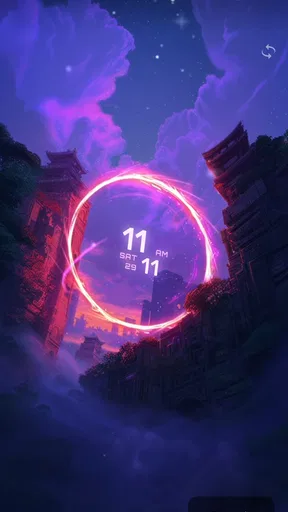
First off, let's talk about the eye candy. With Live Wallpapers, 4K Wallpapers, you’re diving into a sea of high-definition visuals that are nothing short of stunning. Whether you’re into nature, abstract art, or those mesmerizing slow-motion shots, this app has got you covered. I spent a good amount of time just swiping through the categories, and each one was more captivating than the last. Seriously, it’s like having a mini art gallery right in your pocket!
Getting Started
Setting it up is a breeze. Once you download the app, you’re greeted with a user-friendly interface that’s intuitive and easy to navigate. You don't need to be a tech wizard to figure things out. Just tap, swipe, and voila, your screen is transformed. The app’s design is sleek and simple, much like the wallpapers it offers.
When I am choosing a new background, I like to check the crop on the actual home screen before I commit to it. Tall displays can trim an image differently from the preview, and icons may cover the part that first caught my eye. I also think about contrast: a bright patch behind light-colored labels can make a polished picture less useful in daily use. Spending a moment on those details helps avoid the familiar cycle of setting a wallpaper, disliking how it looks with shortcuts, and immediately replacing it.
Exploring the Features
One of the coolest features is the live wallpaper option. I mean, who doesn’t love a dynamic background that moves with your phone? It adds a whole new level of personalization. Plus, the 4K resolution ensures that everything looks crisp and vibrant. I tried out a live waterfall wallpaper, and it almost felt like I could hear the water rushing—talk about immersive!
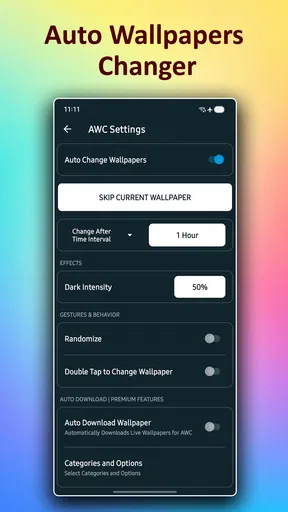
Another feature worth mentioning is the customization options. You can adjust the speed and motion of the live wallpapers to suit your taste. Whether you want something calm and slow or fast-paced and exciting, it’s all up to you. It’s those little touches that make the experience feel tailor-made.
A useful way to judge those controls is to change one setting at a time. I would begin with the motion speed, then look at the result during ordinary unlocks rather than staring at the preview. If a scene feels too lively, slowing it down can preserve the atmosphere while keeping the screen from becoming a distraction. The same principle applies to choosing a wallpaper for a particular routine: a soft-moving scene may suit a personal device, while a static option can be more comfortable when you need to focus.
The app’s title puts resolution front and centre, but a high-resolution source is only one part of how a background looks on a phone. The crop, colors, screen brightness, and the icons placed over it all matter. I would not choose purely by the sharpest-looking preview; I’d prioritize a composition that remains legible and attractive after it is applied. This is especially helpful if you switch between several home-screen layouts, since an image that works with one arrangement may feel crowded with another.
Performance and Battery Life
Now, I know what you’re thinking—won’t these live wallpapers drain my battery faster than a kid with a new toy? Surprisingly, the app is designed to be pretty efficient. I’ve been using it for a few days, and my battery life hasn’t taken a major hit. Of course, if you’re running on an older device, you might notice a slight difference, but nothing too dramatic.
Battery impact is worth judging on your own phone rather than assuming every animated background behaves the same way. If you notice that a live option is not worth the trade-off, switching to a still image is the straightforward compromise: you keep the refreshed look without choosing motion. For a long commute or a day when charging is inconvenient, that choice can matter more than having the most animated screen in the room.
The app runs smoothly with minimal lag, which is a huge plus. I hate it when apps bog down my phone, but this one plays nice with other apps and doesn’t hog resources. It’s a relief to have a visually rich wallpaper app that doesn’t compromise on performance.
Everyday use and alternatives
A realistic routine for me would be to pick a more expressive live scene at home, then switch to a restrained still image before a busy workday if the animation starts competing for attention. I would also keep a favorite static choice ready for moments when I want a calmer screen. That approach makes the app feel less like a one-time novelty and more like a small tool for adapting the phone’s appearance to the day.
Compared with using a single photo from the phone’s gallery, this app is more appealing when I want to browse several visual styles and experiment with motion. The gallery route remains better if I already have a personal photo in mind or want a background with a specific subject. A device’s built-in wallpaper choices can be simpler for someone who wants fewer decisions, while this app makes more sense for someone who enjoys exploring and changing the look. Neither approach is universally better; it depends on whether discovery or simplicity matters more to you.
It is also worth keeping expectations practical: wallpaper quality and motion are visual choices, not a complete home-screen redesign. If you are hoping to reorganize icons or create a fully coordinated interface, you may prefer a separate customization tool. I would use this app for what it does well—finding a background that changes the mood of the screen—rather than expecting it to replace every other personalization option.
Availability and value
The app is free to install, with optional in-app purchases priced from around five to nearly thirty-five dollars per item. I’d begin by exploring what is available without paying and only consider a purchase if a particular item genuinely suits my taste. That makes it easier to decide whether the collection matches your preferences before spending anything. It is rated for Everyone, and it runs on Android 6.0 or later, so compatibility is worth checking if you use an older device.
HD Pro Walls has built an established audience for the app: it has more than five million installs, around forty-seven thousand ratings, and an average rating of 4.5. It was released on June 29, 2019, and version 5.6.1 is the current version. Those details give a useful sense of its presence, but I would still make the decision based on whether its visual choices and controls fit the way I actually use my phone.
Final Thoughts
In a world where customization is key, Live Wallpapers, 4K Wallpapers delivers in spades. It’s more than just a wallpaper app—it’s a gateway to making your device truly yours. The stunning visuals, coupled with the easy-to-use interface, make it a must-have for anyone looking to add a splash of personality to their phone.
So, if you’re tired of the same old static backgrounds and want to bring your screen to life, give this app a whirl. It’s a small change that can bring a big smile every time you unlock your phone. Happy customizing!
Pros
- Stunning 4K resolution enhances screen vibrancy.
- Wide variety of categories to suit all tastes.
- User-friendly interface for easy navigation.
- Regular updates with fresh wallpaper designs.
- Battery optimization for minimal power usage.
Cons
- Ad presence can be intrusive at times.
- Some features locked behind a paywall.
- Occasional lag on older devices.
- Limited customization options for live wallpapers.
- Requires internet for downloading new wallpapers.
FAQs for Live Wallpapers, 4K Wallpapers
What types of wallpapers are available in the Live Wallpapers, 4K Wallpapers app?
The app offers a wide range of wallpapers, including live wallpapers, 4K, and HD images. You can find categories like nature, abstract, animals, and more. The app frequently updates its library to ensure a fresh selection of high-quality wallpapers for your device.
Does using live wallpapers significantly impact battery life?
Live wallpapers can consume more battery than static ones, especially if they are highly interactive or feature animations. However, this app is optimized to minimize battery usage by pausing animations when the screen is off or when you're using other apps. Always ensure your device settings are properly configured to manage power consumption.
Is the Live Wallpapers, 4K Wallpapers app free, or does it require a subscription?
The app offers a free version with access to a wide selection of wallpapers. However, there may be premium options available through in-app purchases or subscriptions, which provide additional features or an ad-free experience. Check the app details for specific pricing and subscription information.
Can I customize or create my own wallpapers within the app?
While the app primarily offers a collection of pre-made wallpapers, some versions may include customization tools. These tools allow you to adjust colors, add effects, or create collages, providing a personalized touch. Check the app's feature list or updates for the latest customization options.
How often does the app update its wallpaper collection?
The app regularly updates its collection to provide users with fresh content. Typically, new wallpapers are added weekly or bi-weekly, ensuring a diverse and up-to-date selection. You can enable notifications to stay informed about the latest additions and new categories.


